A dishwasher that won’t start is one of the most common kitchen appliance headaches. The display may stay dark, the cycle button may flash, or the machine may beep and refuse to fill. This guide walks through the most likely causes and safe DIY checks so you can get dishes washing again—or know when it’s time for professional help.
Signs Your Dishwasher Won’t Start
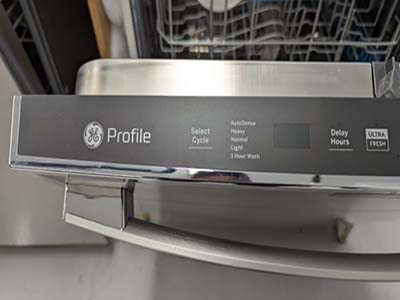
What “won’t start” usually looks like
Before you tear into panels, confirm the symptom:
- No lights, no display, no response when you press Start.
- Lights work, but Start does nothing or the unit beeps immediately.
- Cycle begins for a second, then cancels.
- Door will not latch firmly, or Control Lock / Child Lock is on.
Related reading: if the unit powers on but sounds wrong later, see our guide to a dishwasher making grinding noise.
Safety First
Precautions before troubleshooting
- Unplug the dishwasher or switch off its breaker.
- Shut off the water supply if you will inspect fill hoses.
- Avoid forcing the door latch or prying plastic trim.
- Do not bypass door switches with makeshift jumpers.
For background on dishwasher cycles and components, see the overview on Wikipedia’s dishwasher page.
Troubleshooting Steps
Work through these checks in order—most “dead” dishwashers fail on power, latch, or lock settings.
1. Confirm power and outlet
- Test the wall outlet with a lamp or phone charger.
- Reset a tripped GFCI or breaker dedicated to the kitchen.
- If the dishwasher is hardwired, verify the breaker is firmly ON.
2. Clear Control Lock / Child Lock
- Look for a padlock icon on the console.
- Hold the Lock button (often 3–5 seconds) until the light turns off.
- Try Start again with the door closed.
3. Door latch and strike
- Close the door firmly until you hear/feel a solid click.
- Inspect the latch for cracked plastic or a bent strike plate.
- Remove dishes or utensil handles that block the door from sealing.
4. Soft reset the control board
Many models recover after a hard power reset—similar to our how to reset a dishwasher walkthrough:
- Power off at the breaker for 5 minutes.
- Restore power, wait 30 seconds, then select a Normal cycle and Start.
- Note any error codes that appear (F, E, or flashing LEDs).
5. Delay Start, Demo Mode, and selectors
- Cancel Delay Start if a timer icon is lit.
- Exit Demo / Showroom mode if the display looks animated but never fills.
- Make sure a wash cycle (not only Sanitize or Options) is selected.
6. Water supply and float switch
- Confirm the under-sink shutoff valve is open.
- Listen for a fill hum after Start; silence can mean a stuck float or inlet valve.
- Check that the float in the tub base moves freely up and down.
When DIY Isn’t Enough
Preventing Future No-Start Issues
- Don’t slam the door; a worn latch is a top no-start cause.
- Keep the console dry—spills can short soft-touch pads.
- Run a monthly empty rinse cycle to keep sensors clean.
- Know your model’s Lock button so guests don’t enable it by accident.
Most dishwasher won’t start problems are fixed with power, lock, or latch checks. Work safely, document error codes, and call a pro when electrical parts are involved.
Common Mistakes
- Assuming the outlet is live without testing another device.
- Forcing a bent latch instead of realigning the strike plate.
- Ignoring Control Lock and replacing the board prematurely.
- Skipping the breaker reset after a power surge.
Tools Checklist
- Flashlight and phone camera for error-code photos.
- Non-contact voltage tester for outlets.
- Screwdrivers for kickplate access (only if comfortable).
- Owner’s manual model number for latch part lookups.
FAQ
Why does my dishwasher beep but never fill? Often the door switch isn’t closed fully, Delay Start is active, or the float switch is stuck up.
Can a tripped GFCI stop the dishwasher? Yes—kitchen GFCI outlets and breakers cut power even when the panel breaker looks on.
Should I hard-reset every time? A five-minute breaker reset is safe and often clears a locked control after a glitch; if codes return immediately, dig deeper.
Document any flashing lights before you reset—the pattern helps when you compare notes with your model’s service sheet.
What Success Looks Like
After a successful fix, the dishwasher should accept a cycle, latch cleanly, fill within the first minute, and run without immediate cancel codes. Run an empty rinse once, then a short load of dishes you don’t mind rewashing if something still fails.
If the unit starts but stops mid-cycle, shift focus from “won’t start” to drain, flood switch, or thermal issues—those are different failure modes than a dead console.
Keep a note of your model and serial (usually on the door tub frame). That single string saves time when ordering a latch or reading a service sheet.